More from every key.
Strafr is a companion app for Wooting keyboards. Actuation and Rapid Trigger per key, Snap Tap, remapping with Fn layers, macros, a virtual gamepad and lighting, with a profile for every game that switches by itself.
One payment, yours for life. For Windows 10 and 11.
What’s inside
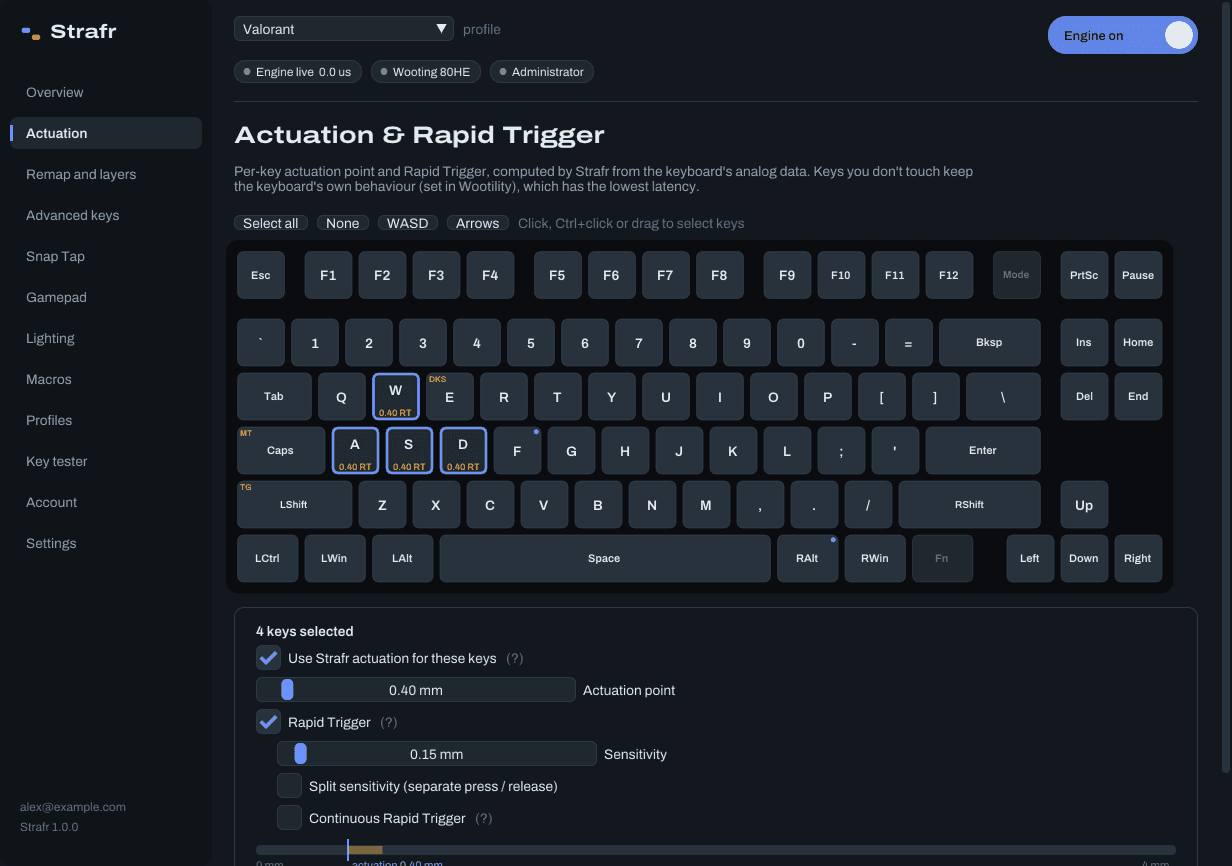
- Actuation and Rapid Trigger
- Per key, from 0.1 to 4.0 mm, with separate press and release sensitivity and a continuous mode. Live travel for every key you press.
- Remap and layers
- A base layer and three Fn layers. Any key can become another key, a media key, a mouse button, a scroll step or a macro.
- Advanced keys
- Dynamic Keystroke with four actions per press, Mod-Tap that keeps your typing in order, and Toggle.
- Snap Tap
- Last input, neutral, first input or deepest press, per key pair. Between opposing keys you set a gap or a small overlap in 0.01 ms steps, fixed or random within a window you choose.
- Macros
- Record or edit steps with delays. Run once, repeat while held, or toggle on and off.
- Gamepad
- A virtual Xbox controller with deadzones and response curves. Analog keys can also move the mouse.
- Lighting
- Nine effects including an audio visualiser, per-key colours, and indicators that stay visible while Strafr owns the lights.
- Profiles
- As many as you like. Strafr switches automatically when a game starts, by program name, window title or pattern.
- Key tester and overlay
- See every key’s depth live, and show your keys in OBS with a browser-source overlay.
- Every Wooting keyboard
- One, Two, Two HE, 60HE, 60HE+, 60HE v2, 80HE and UwU, in ANSI, ISO or JIS. Strafr reads the analog data itself, shows your model’s layout, and lights every connected device.
- Low latency
- Keys with nothing to change pass straight through as the original event. Rewritten keys go out in one batch from a time-critical thread.
Try Snap Tap here
Hold A, then press D on your keyboard. The top pair is what you press, the bottom pair is what the game receives. Pick a mode, set a gap or an overlap, or let Strafr choose a random timing inside a window.
In the app every pair of keys gets its own settings, and profiles can turn Snap Tap off in games that don’t allow it.
Try it: hold A, then press D
- Game sees
- nothing
- Last switch
- none yet
Left of zero the keys overlap, right of zero there is a gap.
The key you pressed last wins. Let go and the other one comes back.
Strafr licence
€2.99
Once. No subscription.
- All features, and every update after
- One PC at a time, moved with a hardware reset every 14 days
- Download and licence right after payment
- Visa
- Mastercard
- PayPal
- paysafecard